3leven v4.7 Home Screen Designer APK Download
Get ultimate home screen customization with 3leven v4.7, a powerful app for Android. Design your home screen with unlimited themes, widgets, and layouts. Download now and take control of your home screen.
All download links redirect to the official Google Play Store.
App Information
- Name
- 3leven
- Version
- 4.7
- OS
- Android
- Category
- UtilitiesApplication
- Price
- Free
- User Rating
- 4/5
Our In-Depth Review
3leven Review: Bringing a Splash of Personality to Your Android Home Screen
As an Android user, have you ever felt like your home screen is just too... basic? The same old default icons and layout can get old fast, but fear not, dear readers, for I've got just the solution for you: 3leven, the ultimate home screen customization app.
Discover a World of Icon Possibilities with 3leven
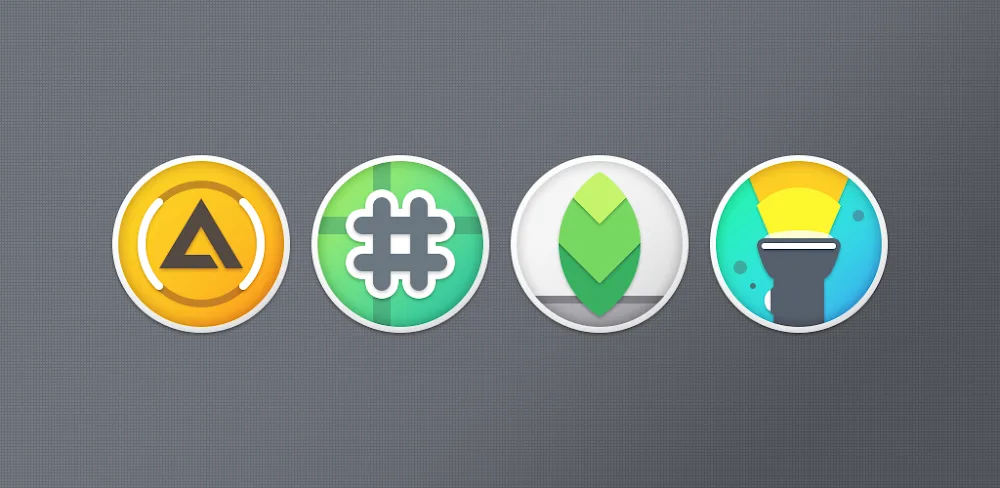
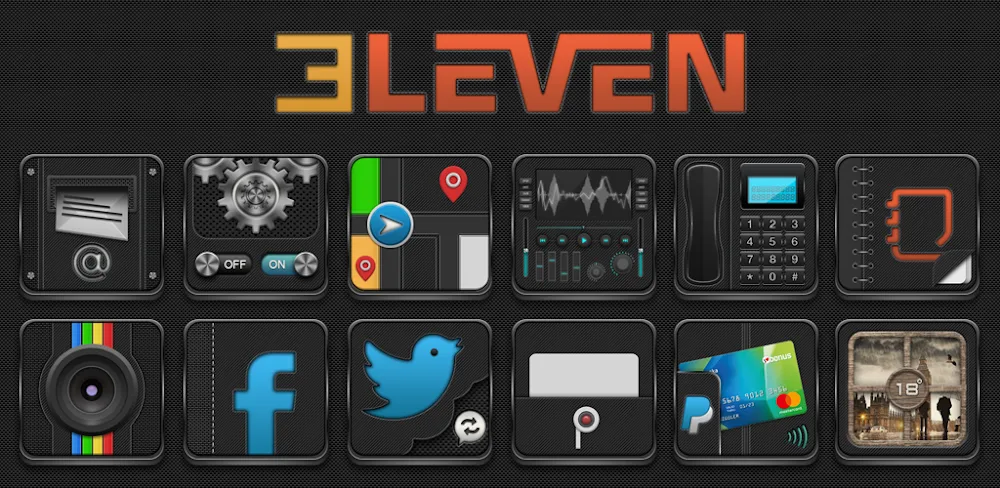
When it comes to customization, 3leven truly stands out from the crowd. With a staggering library of over 2,180 alternative application icons, you'll be spoiled for choice when it comes to giving your device a unique look. And the best part? This impressive collection is constantly expanding, with regular updates adding new designs and icons to match the latest apps. Whether you're a fan of minimalist, retro, or futuristic themes, 3leven has got you covered.
The sheer scale of the icon collection is impressive, and one of the standout features of 3leven is its consistent quality. Unlike some other customization apps that can feel tacky or low-res, 3leven's icons are carefully curated to ensure that they're both visually stunning and cohesive with your device's aesthetic. Whether you're looking for a bold, eye-catching icon to match your favorite app or a more subtle, understated design to blend in with your existing layout, 3leven's got you covered.
Transform Your Home Screen with 3leven's Customization Suite
But 3leven is more than just a pretty face – it's a powerful tool that lets you customize your home screen to perfection. With a range of features that include custom wallpapers, a cloud-based wallpaper picker, and KLWP integration, you can create a truly unique aesthetic that reflects your personality.
One of the things that sets 3leven apart from other customization apps is its comprehensive personalization tools. With the ability to create custom wallpapers, pick from a cloud-based library of wallpapers, and even integrate dynamic calendars like Google Calendar, Business Calendar, and Today Calendar, you've got more than enough options to create a truly one-of-a-kind look. And with multiple layers of customization, you can get as detailed or as broad in your approach as you like.
Where 3leven Excels and Where It Falls Short
So, what does 3leven do exceptionally well? In my opinion, it's the sheer breadth of its icon collection and the consistent quality of its designs. Whether you're looking for a bold statement piece or a more subtle addition to your existing layout, 3leven's got the goods.
However, I do think that 3leven could benefit from a few tweaks to its interface. While the app is generally easy to use, some of the more advanced features can feel a bit buried, and it takes a few tries to get used to the layout. Additionally, while the app is regularly updated, I did find that some of the newer icons felt a bit inconsistent with the rest of the collection. Still, these are minor quibbles in an otherwise excellent app.
Who Is This App For?
So, who is 3leven best for? In my opinion, this app is a must-have for anyone looking to take their Android home screen to the next level. Whether you're a seasoned customization pro or just looking to add a bit of personality to your device, 3leven's got the tools and the talent to help you create a truly unique look. With its comprehensive personalization suite, massive icon collection, and consistent quality, 3leven is the perfect choice for anyone looking to bring a splash of personality to their Android device.
Rating: 4.5/5
Recommendation: If you're looking for a more comprehensive customization experience, you may also want to check out other apps like KLWP or Nova Launcher. However, if you're specifically looking for an icon customization app that delivers on quality and quantity, 3leven is the clear winner.
Editor's Verdict
App Details
- App: 3leven
- Category: Utility
- Version: 4.7
- Price: Free
- Platform: Android
Quick Assessment
3leven is a utility application for Android devices that is free to download. Currently at version 4.7, the app has received positive feedback from the community with an average rating of 4/5. We recommend downloading it directly from the official Google Play Store to ensure you get the latest and safest version.
Community Reviews
What users are saying about 3leven
Feb 16, 2026
I'm thoroughly enjoying the drag-and-drop layout feature in 3leven v4.7. It's so easy to create a design that reflects my personal style. Plus, the vast array of icons and widgets available make customization a breeze.
Feb 6, 2026
I've used this app for a while now, and while I appreciate the pre-designed layouts, I feel like they could be more diverse. My suggestion would be to include a feature where users can submit their own layouts for others to use.
Jan 27, 2026
I'd love to see a version of 3leven v4.7 that's optimized for tablets – currently, the app doesn't handle larger screens very well. With that said, I'm still pretty happy with the app's performance on my phone.
Dec 31, 2025
The animation feature in 3leven v4.7 is really cool – I love how I can add animations to my widgets and make my home screen feel more dynamic. Five stars from me!
Dec 6, 2025
I like how easily I can swap between different themes and layouts. However, I think it would be great if the app allowed users to create custom themes from scratch, rather than just choosing from existing ones – that way, I could really personalize my home screen.
Oct 29, 2025
I've only used 3leven v4.7 for a short while, but so far I'm really impressed with how versatile it is. The ability to resize widgets and adjust their spacing has been a game-changer for me.
Oct 13, 2025
I've tried a few home screen design apps in the past, but 3leven v4.7 stands out due to its user-friendly interface. However, I do wish there was a way to undo changes without having to start over completely – that would make the app even more convenient.
Sep 26, 2025
I've had some issues with the app crashing when I try to customize my home screen. Hopefully, the developer will address this issue in future updates – other than that, I'm enjoying the app's features.
Reviews reflect personal user opinions and experiences.
Frequently Asked Questions
You May Also Like
Similar utility apps you might enjoy