AdGuard VPN v2.15.40 - Secure VPN, Identity Hiding, Private Browsing
Get AdGuard VPN v2.15.40 for a secure and private browsing experience. This VPN app hides your identity, changes IP addresses, and provides a safe space for online activities.
All download links redirect to the official Google Play Store.
App Information
- Name
- AdGuard VPN
- Version
- 2.15.40
- OS
- Android
- Category
- UtilitiesApplication
- Price
- Free
- User Rating
- 3.9/5
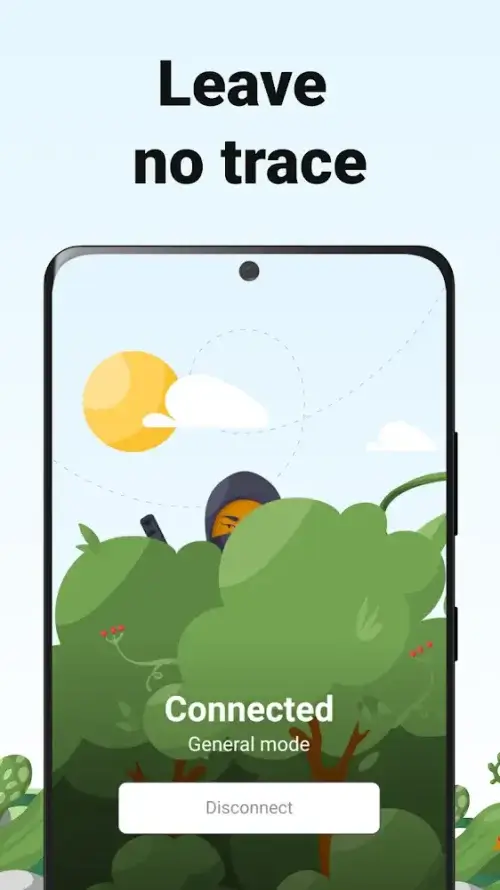
Screenshots


Our In-Depth Review
AdGuard VPN Review: A Secure and Anonymous Browsing Experience
Protect Your Online Identity with Ease
AdGuard VPN is a robust tool that offers users a private online space, shielding their identity and location from unwanted prying eyes. With this app, you can freely access any content you want, without worrying about being tracked or compromised. As I dive deeper into this review, you'll see why AdGuard VPN stands out as a top contender in the world of VPNs.
The Power of IP Address Change
Protect Your Device from Online Threats
At its core, AdGuard VPN generates a fake IP address, concealing your device's real identity and location while browsing the internet. This is particularly crucial when using public Wi-Fi, as your device becomes a vulnerable target for hackers, malware, and data breaches. By employing a fake IP address, AdGuard VPN effectively shields your device from these risks, safeguarding your sensitive information.
Customization Options for a Tailored Experience
Fine-Tune Your VPN Settings for Optimal Performance
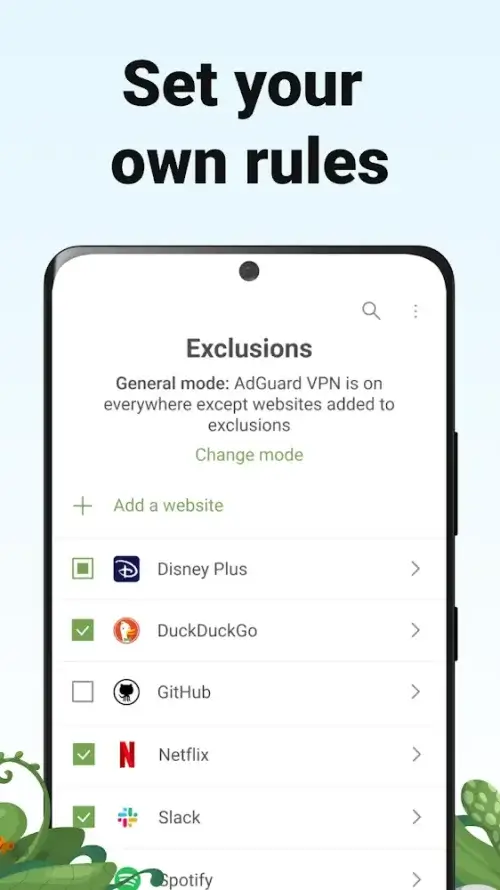
One of the standout features of AdGuard VPN is its ability to customize its functionality for multiple websites or applications. With IP spoofing enabled, you can create a list of apps and websites that use your real IP address, while others utilize a fake one. This feature allows you to have complete control over your online experience, giving you the flexibility to manage your visits and privacy with ease.
IP Spoofing: A Game-Changer in VPN Customization
IP spoofing is a powerful tool that lets you customize your VPN experience. With this feature, you can specify which apps and websites use your real IP address and which ones use a fake one. This level of customization is a welcome addition to AdGuard VPN, setting it apart from other VPNs on the market.
Accessing Geo-Restricted Content with Ease
Connect from Anywhere in the World
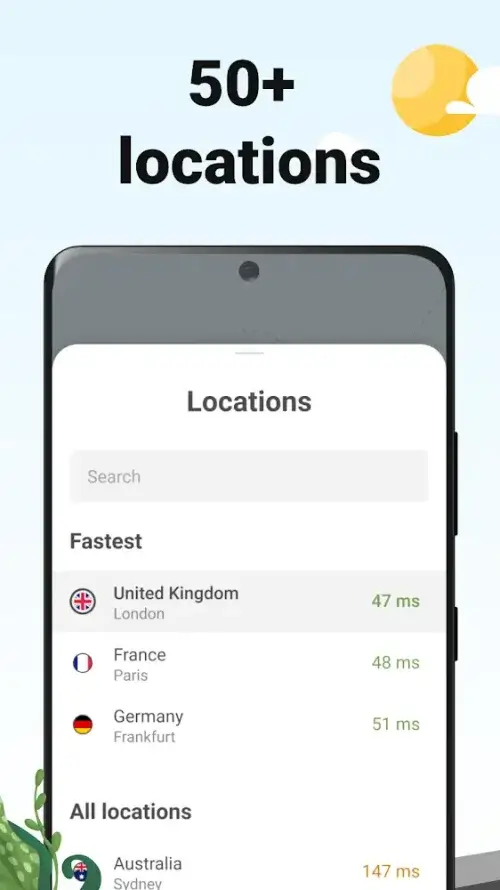
AdGuard VPN allows you to change your IP address to one of many countries worldwide, including the United States, China, the United Kingdom, France, and Australia. By doing so, you can access geo-restricted content, such as movies and TV shows, that are only available in specific countries. With just a few simple taps, you can enjoy great content from anywhere in the world.
A User-Friendly Interface for a Seamless Experience
Easy to Use and Navigate
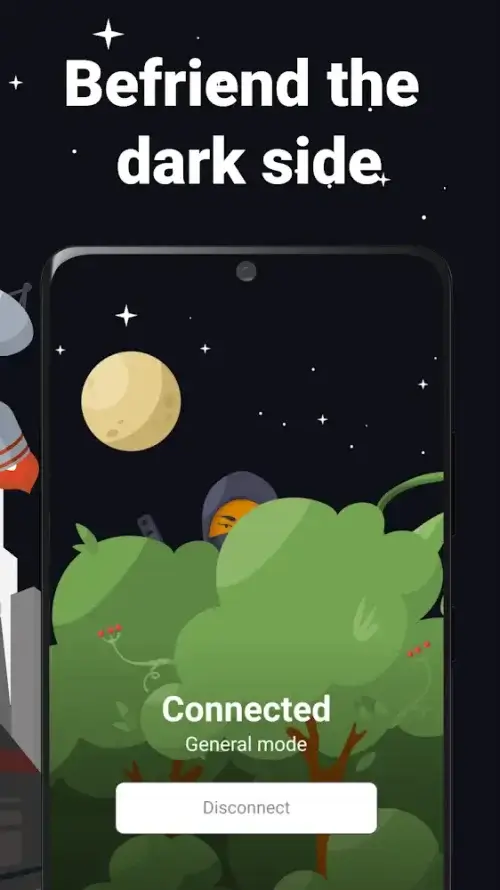
AdGuard VPN boasts a clean and appealing interface that makes it easy to use and navigate. Every function is easily accessible, and the app's design ensures a seamless user experience. Additionally, the interface can be switched to dark mode, reducing eye strain and making it perfect for night use. With its intuitive design and user-friendly interface, AdGuard VPN is perfect for anyone looking for a secure and private browsing experience.
Who Is This App For?
AdGuard VPN is ideal for:
- Individuals who value their online anonymity and want to protect their sensitive information from hackers and data breaches.
- Users who want to access geo-restricted content from around the world.
- Anyone looking for a user-friendly and customizable VPN experience.
- People who frequently use public Wi-Fi and want to safeguard their device from potential threats.
If you're looking for a reliable VPN that offers top-notch security, customization options, and a user-friendly interface, AdGuard VPN is definitely worth considering.
Editor's Verdict
App Details
- App: AdGuard VPN
- Category: Utility
- Version: 2.15.40
- Price: Free
- Platform: Android
Quick Assessment
AdGuard VPN is a utility application for Android devices that is free to download. Currently at version 2.15.40, the app continues to receive updates from the developer. We recommend downloading it directly from the official Google Play Store to ensure you get the latest and safest version.
Community Reviews
What users are saying about AdGuard VPN
Feb 27, 2026
I'm disappointed that AdGuard VPN doesn't offer a free trial period. I'm hesitant to commit to a paid subscription without testing the waters first. That being said, I do appreciate the premium features they offer. Might reconsider if they offer a trial in the future. 3/5
Feb 19, 2026
I've tested several VPN apps, and AdGuard VPN stands out for its strong identity-hiding features. The 'DNS leak protection' is a major plus, but I do wish they could provide more clear instructions for setting up the app. 3/5
Feb 6, 2026
The identity-protecting features in AdGuard VPN do their job well, but I've noticed some minor glitches with the app's performance. It occasionally freezes or crashes when I switch between apps. Hoping for a fix in the next update. 3/5
Feb 3, 2026
I'm not a tech-savvy person, so I appreciate AdGuard VPN's beginner-friendly interface. However, I wish they could add more locations to their server list. I'm currently stuck with limited server options. Rating: 3/5
Jan 15, 2026
The user interface could use some improvement. The menu is a bit cluttered, and it takes some time to figure out how to customize settings. That being said, the app does a great job of protecting my online identity. 4 stars!
Jan 14, 2026
Been using this VPN for private browsing, and it's been a game-changer for my online security. The kill switch feature gives me peace of mind when using public Wi-Fi. Would love to see a built-in ad blocker, though. 4 stars!
Jan 11, 2026
AdGuard VPN has helped me stay safe while browsing public Wi-Fi. The 'Wi-Fi protection' feature is particularly useful in these situations. However, I wish they could optimize their server speeds for a smoother experience. 4 stars!
Nov 30, 2025
I was impressed by how easy AdGuard VPN is to use, even for a non-tech-savvy person like me. The onboarding process was clear, and the app's features are well-organized. One minor suggestion: consider adding more tutorial videos for complex settings. 5 stars!
Reviews reflect personal user opinions and experiences.
Frequently Asked Questions
You May Also Like
Similar utility apps you might enjoy