LuXBlue Icon Pack v5.1 - Customizable Android Icons
Experience a new look for your device with LuXBlue Icon Pack v5.1, offering 1000+ customizable icons, support for most launchers, and easy icon pack management. Personalize your Android with this premium icon pack.
All download links redirect to the official Google Play Store.
App Information
- Name
- Blue Icon Pack : LuXBlue
- Version
- 5.1
- OS
- Android
- Category
- UtilitiesApplication
- Price
- Free
- User Rating
- 4/5
Our In-Depth Review
Elevate Your Android Experience with LuXBlue Icon Pack
As an Android user, you're likely no stranger to the limitations of your device's default interface. The LuXBlue Icon Pack, developed by LuXBlue, offers a comprehensive solution to transform your device with its stunning visual design and extensive functionality. This icon pack boasts a vast collection of customizable icons that can give your device a modern and sophisticated look, tailored to your unique personality.
Unlock a World of Visual Possibilities
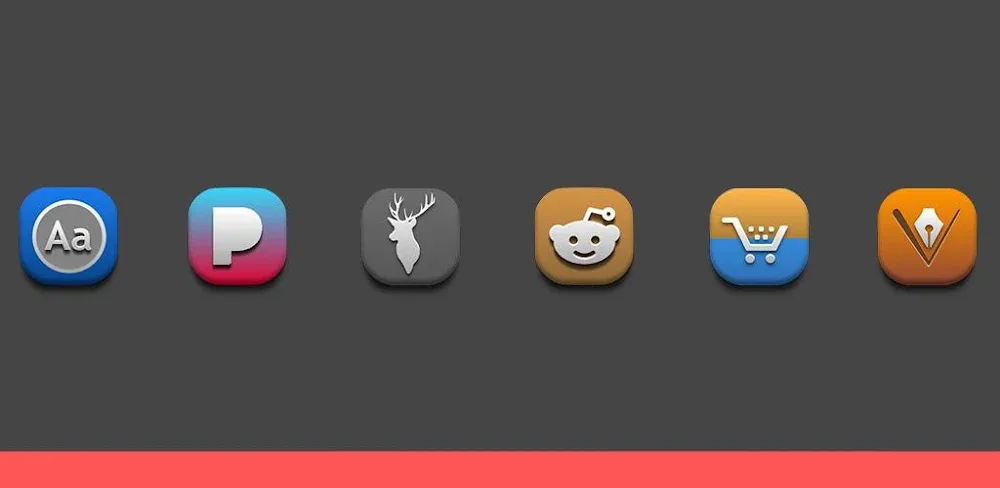
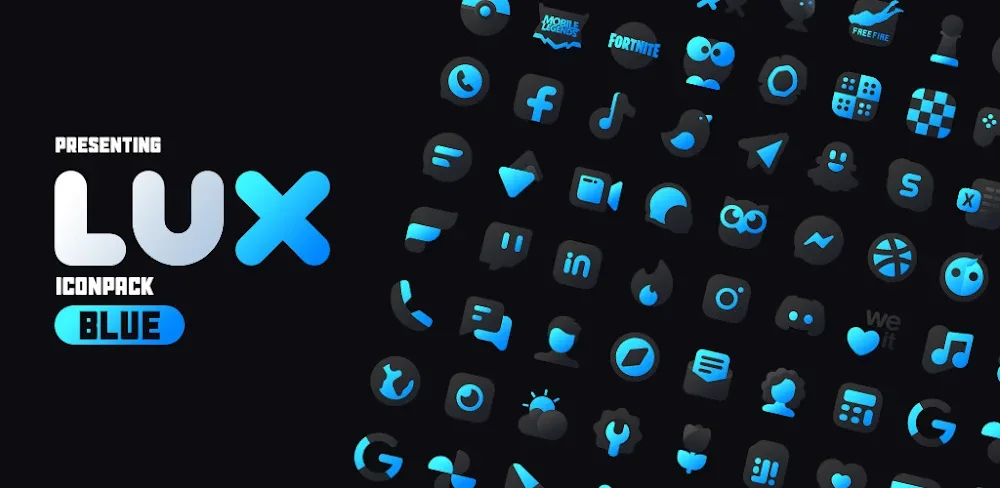
The LuXBlue Icon Pack is a treasure trove of replacement icons designed by renowned icon designers. These beautifully crafted icons are a perfect blend of blue hues and deep black tones, creating a cohesive and modern aesthetic that sets your device apart. The meticulous attention to detail is evident in the pixel-perfect design, ensuring that every icon is visually appealing and functional.
One of the standout features of the LuXBlue Icon Pack is its Unified Design System. With over 2700 icons available, you can enjoy a consistent design language across your device's interface. This attention to detail is impressive and elevates the overall user experience. The Modern Elegance of the icon pack is undeniable, with a perfect blend of matte black and blue that creates a sophisticated and modern beauty. Additionally, the Pixel-Perfect Details ensure that every icon is visually appealing and functional.
Take Control of Your Android Experience
The LuXBlue Icon Pack offers more than just beautiful icons; it also provides a range of integrated features that enhance your device's functionality and personalization options. With the Dynamic Calendar System, you can manage your time accurately and stay updated automatically. This feature ensures that you're always on top of your schedule and can plan your day with ease.
Another notable feature is the Total Interface Control offered by the LuXBlue Icon Pack. You can customize your app drawer and folder icons to your heart's content, giving you complete control over your device's interface. This level of personalization is unmatched and allows you to tailor your device to your unique needs and preferences.
The Quick Request System is another convenient feature that ensures your app maintains a cohesive look. This system makes it easy to find the icons you need and ensures that your device's interface remains consistent and visually appealing.
Who Is This App For?
The LuXBlue Icon Pack is an excellent choice for Android users who want to elevate their device's interface with a modern and sophisticated look. If you're tired of the same old default interface and want to personalize your device to your unique style, this icon pack is an ideal solution. Additionally, users who value a consistent design language and attention to detail will appreciate the LuXBlue Icon Pack's unified design system.
In conclusion, the LuXBlue Icon Pack is a comprehensive solution that offers a stunning visual design and extensive functionality. With its vast collection of customizable icons, dynamic calendar system, total interface control, and quick request system, this icon pack is an excellent choice for Android users who want to take their device to the next level.
Editor's Verdict
App Details
- App: Blue Icon Pack : LuXBlue
- Category: Utility
- Version: 5.1
- Price: Free
- Platform: Android
Quick Assessment
Blue Icon Pack : LuXBlue is a utility application for Android devices that is free to download. Currently at version 5.1, the app has received positive feedback from the community with an average rating of 4/5. We recommend downloading it directly from the official Google Play Store to ensure you get the latest and safest version.
Community Reviews
What users are saying about Blue Icon Pack : LuXBlue
Jan 24, 2026
I've tried a few icon packs before, but LuXBlue Icon Pack v5.1 really stands out. The support for icon masking is amazing, and it's so cool to see how easily I can change the look of my home screen. My only suggestion would be to include a few more icon packs to choose from, but overall, it's an excellent app!
Jan 17, 2026
Been using LuXBlue for a while now, and I have to say, the quality of the icons is top-notch. The colors are rich, and the designs are modern. However, I find the icon pack to be a bit glitchy at times, especially when switching between apps. Still, it's a solid choice for anyone looking to customize their Android experience.
Sep 24, 2025
I was blown away by the sheer number of icons available in LuXBlue Icon Pack v5.1. The search function makes it easy to find the perfect icon, and the fact that it supports most launchers is a huge plus. The only thing I wish was different is more customization options for the icon shapes.
Reviews reflect personal user opinions and experiences.
Frequently Asked Questions
You May Also Like
Similar utility apps you might enjoy