Darko Glass Icon Pack 1.1 - Customizable Dark Theme Icons
Elevate your device's interface with Darko Glass Icon Pack 1.1, featuring customizable icons, dark theme, and glass effects for a truly unique look. Upgrade now and experience the best of device personalization.
All download links redirect to the official Google Play Store.
App Information
- Name
- Darko Glass Icon Pack
- Version
- 1.1
- OS
- Android
- Category
- UtilitiesApplication
- Price
- Free
- User Rating
- 3.8/5
Our In-Depth Review
Darko Glass Icon Pack Review: Elevating Your Android Device's Visuals
A Glassy New World of Customization
The Darko Glass Icon Pack is an innovative Android application that brings a unique and high-quality visual experience to your device. With its stunning wallpapers, attractive features, and sleek glassy design, this app is perfect for those looking to elevate their device's visuals and stand out from the crowd.
Unique Visual Design: Where Glass Meets Sophistication
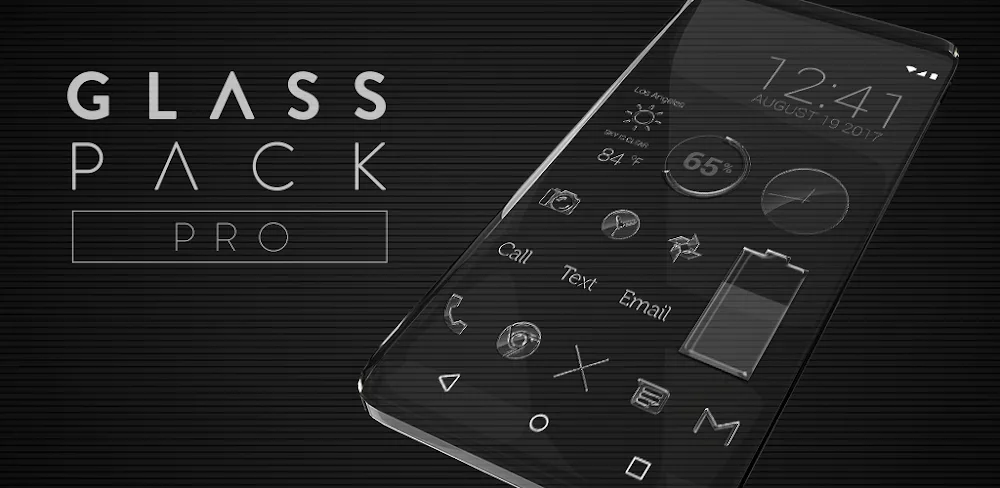
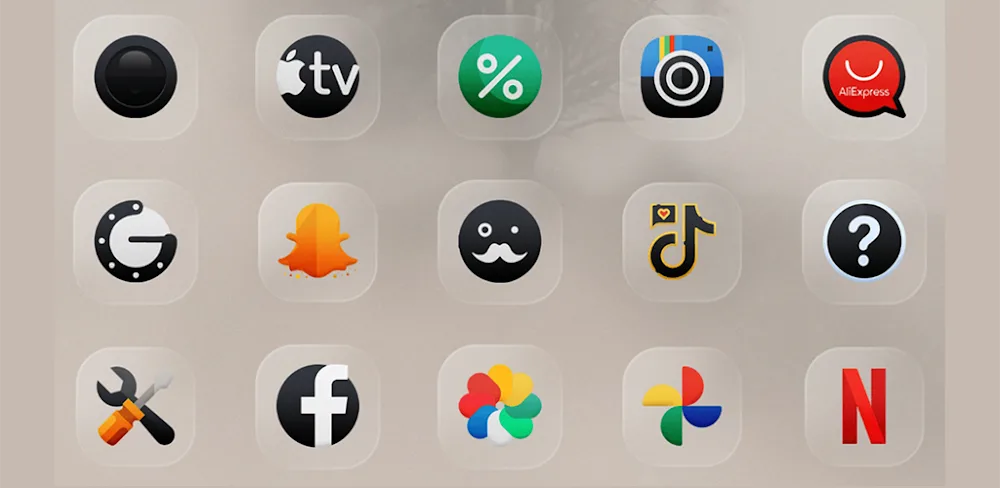
The Darko Glass Icon Pack's glassy effect is its crowning jewel. This distinctive design element brings a sense of high-end quality to your device's interface, making it a joy to look at. The consistent dark aesthetic is also a welcome addition, as it creates a clean and minimalist look that exudes sophistication and elegance. And with meticulous craftsmanship behind every icon, you can expect vivid and perfect designs that elevate your device's visuals.
A Comprehensive Icon Library for Every Need
One of the standout features of the Darko Glass Icon Pack is its extensive library of icons. With diverse themes and countless options to personalize your device's look, you'll never run out of unique and attractive icons. The app's frequent update schedule ensures that you stay ahead of the curve, with new icons and improved features added every week. Additionally, the dynamic calendar support makes it easy to automatically update your calendar with ease, thanks to the app's convenient and accurate date update feature.
Who Can Benefit from the Darko Glass Icon Pack?
While the Darko Glass Icon Pack is an excellent choice for anyone looking to elevate their device's visuals, it's particularly well-suited for:
- Users who value a sleek and sophisticated look for their device
- Those who want a consistent and high-quality visual experience
- Individuals who appreciate meticulous craftsmanship and attention to detail
- Anyone looking to personalize their device's look with a unique and extensive icon library
A Well-Rounded App with Room for Improvement
While the Darko Glass Icon Pack excels in many areas, there are a few areas for improvement. The app's user interface could be more intuitive, with clearer navigation and a more comprehensive settings menu. Additionally, some users may find the app's frequent update schedule to be overwhelming, with too many new icons and features to keep track of.
Conclusion
The Darko Glass Icon Pack is an excellent choice for anyone looking to elevate their device's visuals. With its unique glassy design, comprehensive icon library, and frequent update schedule, this app is a must-have for anyone who values a sleek and sophisticated look. While there is room for improvement, the Darko Glass Icon Pack is a well-rounded app that is sure to please even the most discerning users.
Editor's Verdict
App Details
- App: Darko Glass Icon Pack
- Category: Utility
- Version: 1.1
- Price: Free
- Platform: Android
Quick Assessment
Darko Glass Icon Pack is a utility application for Android devices that is free to download. Currently at version 1.1, the app continues to receive updates from the developer. We recommend downloading it directly from the official Google Play Store to ensure you get the latest and safest version.
Community Reviews
What users are saying about Darko Glass Icon Pack
Nov 16, 2025
This icon pack is pretty and all, but sometimes the icons get too distorted when I use them on my widgets. Maybe it's just my device, but it'd be awesome if the developer can optimize it for different screen densities.
Sep 29, 2025
I'm absolutely loving the Darko Glass Icon Pack! The customization options are top-notch, and I can finally get rid of that default Android looks. The glass effects are a nice touch, but I wish there was an option to adjust the opacity level.
Sep 21, 2025
While I like the overall aesthetic of Darko Glass, I feel like the icon quality could be a bit better. Some of the graphics look a bit pixelated, especially on my larger screens. Still, a solid effort, and I'll keep an eye on future updates.
Sep 18, 2025
I've used a lot of icon packs, and this one stands out for its unique design. The dark theme fits perfectly with my homescreen setup, and the icon animations are smooth as butter. One minor suggestion - consider adding more icon packs in the future!
Reviews reflect personal user opinions and experiences.
Frequently Asked Questions
You May Also Like
Similar utility apps you might enjoy