Eye Pro v5.1.1 Blue Light Filter APK
Discover how Eye Pro v5.1.1 can shield your vision with its effective blue light filter and timer features, ensuring a healthier viewing experience.
All download links redirect to the official Google Play Store.
App Information
- Name
- Eye Pro
- Version
- 5.1.1
- OS
- Android
- Category
- UtilitiesApplication
- Price
- Free
- User Rating
- 3.8/5
Our In-Depth Review
Protecting Your Vision: A Review of Eye Pro - Blue Light Filter
A Solution to the Blue Light Problem
As we increasingly rely on electronic devices in our daily lives, the risk of eye strain and sleep disruption from blue light exposure grows. Eye Pro - Blue Light Filter is an app designed to mitigate these effects by blocking blue light and providing gentle lighting effects. But does it effectively address the issue of eye health and sleep quality?
Features and Functionality
Eye Pro's comprehensive approach to eye care is evident in its advanced eye protection process, which shields your eyes from blue light and leads to significantly improved eye health and vision. This is particularly important for heavy users of electronic devices, such as gamers, programmers, and those who spend extended periods in front of screens.
The app also claims to enhance sleep quality by blocking blue light, which is a well-documented cause of insomnia and related stress. By activating Eye Pro's features, users can expect to fall asleep faster and enjoy improved sleep quality, leading to a reduced risk of insomnia and associated stress.
One of the standout features of Eye Pro is its ability to relieve chronic headaches caused by insomnia. This is achieved through its protection system, which helps prevent headaches by reducing eye strain and promoting relaxation.
Customization Options
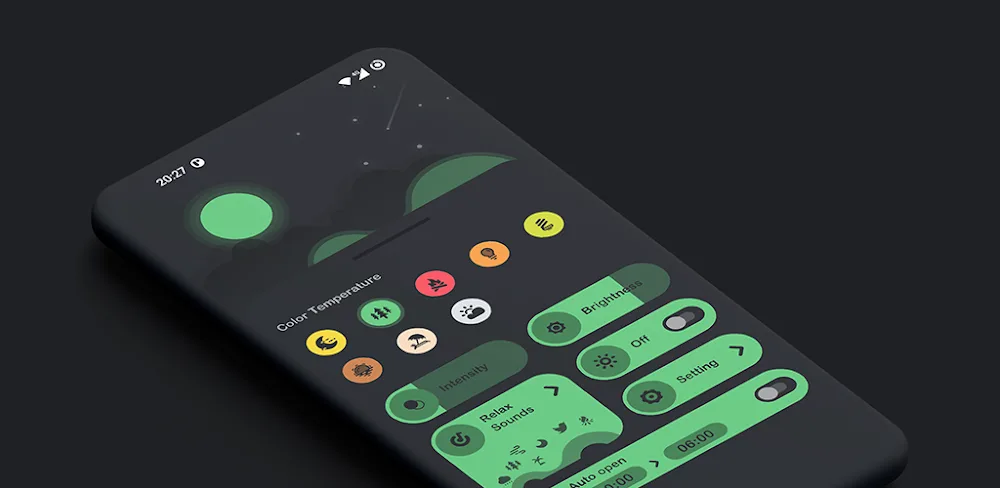
One of the strengths of Eye Pro is its range of customizable light filters, which cater to different user needs. With over 8 unique filters to choose from, users can select the best option for their requirements. This flexibility is particularly useful for individuals who need to use their devices in various settings, such as work, entertainment, or reading.
The app's Warmlight Mode is another notable feature, which adjusts the lighting to reduce eye strain when using devices at night. This is a thoughtful touch, as it acknowledges the importance of gentle lighting in promoting healthy sleep habits.
Areas for Improvement
While Eye Pro is a solid app, there are some areas where it could be improved. For instance, the app's interface could be more intuitive, with clearer instructions and a more user-friendly design. Additionally, some users may find the range of filters overwhelming, particularly those with limited technical expertise.
Who Is This App For?
Eye Pro is an ideal solution for:
- Heavy users of electronic devices, such as gamers, programmers, and those who spend extended periods in front of screens
- Individuals who experience eye strain, headaches, or insomnia due to blue light exposure
- Users who value customization options and flexibility in their blue light filtering experience
- Those looking for a comprehensive approach to eye care and sleep quality
In conclusion, Eye Pro - Blue Light Filter is a well-designed app that effectively addresses the issue of blue light exposure and its impact on eye health and sleep quality. While there is room for improvement in terms of interface and customization options, the app's comprehensive approach and range of features make it a valuable tool for anyone looking to protect their vision and promote healthy sleep habits.
Editor's Verdict
App Details
- App: Eye Pro
- Category: Utility
- Version: 5.1.1
- Price: Free
- Platform: Android
Quick Assessment
Eye Pro is a utility application for Android devices that is free to download. Currently at version 5.1.1, the app continues to receive updates from the developer. We recommend downloading it directly from the official Google Play Store to ensure you get the latest and safest version.
Community Reviews
What users are saying about Eye Pro
Feb 24, 2026
I've been using Eye Pro v5.1.1 on my tablet, and it's been a game-changer. The app is so easy to use, and the screen filter really makes a difference. Four stars!
Dec 4, 2025
The Eye Pro app has been working great for me, but I wish there were more filter options. Sometimes the default blue light filter isn't enough. Three stars.
Nov 12, 2025
I'm not sure if I'd recommend Eye Pro v5.1.1 to others because it can be a bit glitchy at times. The screen filter works well, but it freezes randomly on my Samsung Galaxy S22.
Nov 11, 2025
I love how easy it is to turn on the screen filter in Eye Pro v5.1.1! The blue light filter really helps me wind down before bed, and the timer is super convenient. Five stars!
Oct 14, 2025
I like how customizable the app is, especially the timer feature. However, I think it would be great if the app could automatically turn on the blue light filter based on the time of day.
Reviews reflect personal user opinions and experiences.
Frequently Asked Questions
You May Also Like
Similar utility apps you might enjoy