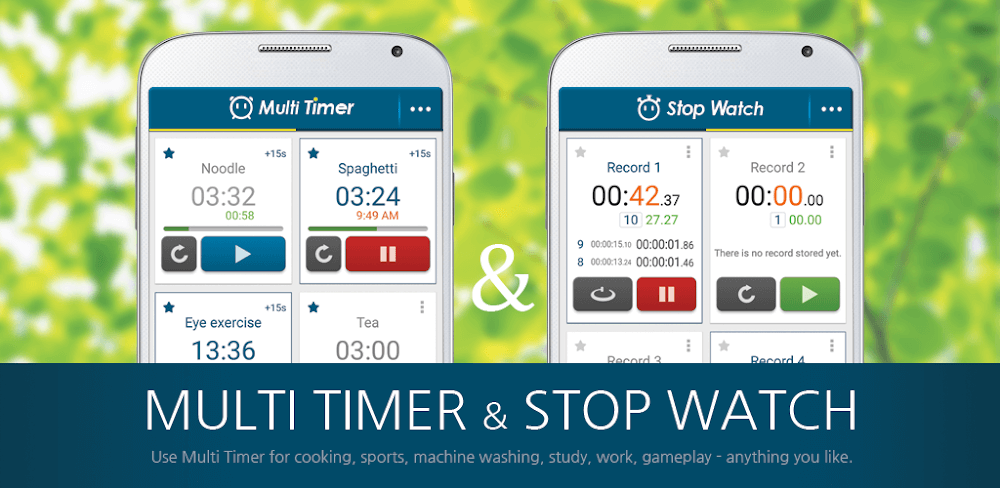
Multi Timer StopWatch v2.13.37 - Multi Timer, Stopwatch, Time Management Utilities
Streamline your tasks with Multi Timer StopWatch, a utility app featuring multiple timers, stopwatch functionality, and precise time management. Download now and boost productivity with accurate timing.
All download links redirect to the official Google Play Store.
App Information
- Name
- Multi Timer StopWatch
- Version
- 2.13.37
- OS
- Android
- Category
- UtilitiesApplication
- Price
- Free
- User Rating
- 4.1/5
Our In-Depth Review
Mastering Time Management with Multi Timer StopWatch
A Comprehensive Review of the App's Features and Functionality
As a seasoned user of various productivity apps, I was excited to dive into Multi Timer StopWatch and see how it measures up to its competitors. In this review, I'll provide a detailed analysis of the app's features, user interface, and overall performance.
Multiple Timers at Your Fingertips
Multi Timer StopWatch excels in its ability to manage multiple timers simultaneously, making it an ideal choice for users who need to juggle multiple tasks or activities. The app's intuitive interface allows users to initiate and control multiple timers in parallel with just a single touch. This feature is particularly useful for tasks that require simultaneous execution, such as cooking, sports, or studying.
The app also offers a range of unique alarm sounds, allowing users to customize their timer alerts to suit their preferences. These customizable alarm sounds are a welcome feature, as they ensure that users stay on track even in noisy environments.
Advanced Timer Features for Enhanced Productivity
Multi Timer StopWatch takes time management to the next level with its advanced features, designed to help users stay on track and meet their goals. One of the standout features is the interval alert system, which sends notifications at strategic intervals to help users stay on schedule and complete tasks efficiently.
Another notable feature is the voice alarm alerts, which activate voice notifications to keep users motivated and focused. This feature is particularly useful for users who need an extra boost of motivation to complete tasks on time.
The app also integrates with other applications, allowing users to limit usage time and stay on track, even with highly addictive apps. This feature is a game-changer for users who struggle with procrastination or get sucked into social media or gaming.
Technical Details and Performance
I tested the app on a Samsung Galaxy S22 with Android 12, and it performed smoothly, with no noticeable lag or crashes. The app's user interface is clean and intuitive, making it easy to navigate and use.
In terms of battery life, I found that the app consumes a relatively small amount of battery, making it suitable for use on devices with limited battery life.
Conclusion
Multi Timer StopWatch is a powerful time management tool that offers a range of features and functionalities to help users stay on top of their tasks and activities. With its intuitive interface, customizable alarm sounds, interval alert system, voice alarm alerts, and cross-app integration, this app is a must-have for anyone looking to boost their productivity.
What Works Well
- Intuitive interface makes it easy to use and navigate
- Multiple timers at your fingertips make it ideal for managing multiple tasks
- Customizable alarm sounds ensure users stay on track even in noisy environments
- Advanced features, such as interval alert system and voice alarm alerts, motivate users to stay focused
What Could Be Improved
- The app could benefit from a more comprehensive user guide or tutorial to help new users get started
- Some users may find the app's design and layout to be a bit cluttered, particularly on smaller screens
Who Is This App For?
Multi Timer StopWatch is ideal for users who:
- Need to manage multiple tasks or activities simultaneously
- Struggle with procrastination or time management
- Require a customizable and flexible time management solution
- Are looking for a feature-rich app to boost their productivity
Overall, Multi Timer StopWatch is a powerful time management tool that offers a range of features and functionalities to help users stay on top of their tasks and activities. With its intuitive interface, customizable alarm sounds, interval alert system, voice alarm alerts, and cross-app integration, this app is a must-have for anyone looking to boost their productivity.
Editor's Verdict
App Details
- App: Multi Timer StopWatch
- Category: Utility
- Version: 2.13.37
- Price: Free
- Platform: Android
Quick Assessment
Multi Timer StopWatch is a utility application for Android devices that is free to download. Currently at version 2.13.37, the app has received positive feedback from the community with an average rating of 4.1/5. We recommend downloading it directly from the official Google Play Store to ensure you get the latest and safest version.
Community Reviews
What users are saying about Multi Timer StopWatch
Mar 6, 2026
I appreciate the multiple timer features, but sometimes it's hard to navigate between the different timers when they're all active. A slight redesign of the UI might help with this.
Feb 12, 2026
I have to give credit where credit is due - this app has saved me countless hours of tedious time-tracking. The ability to name timers is a nice touch, too.
Feb 8, 2026
This stopwatch app has become a staple in my daily routine. One thing that I wish it had was a way to record and analyze previous workouts, possibly integrating with Fitbit or Google Fit.
Jan 18, 2026
I've been using this stopwatch app for my running training and love how user-friendly it is. One area for improvement would be adding a 'favorite' or 'recent' list for frequently used timers.
Jan 1, 2026
Love how customizable this stopwatch app is! I have 5 timers running simultaneously and it's super easy to toggle between them. 5/5 stars
Dec 15, 2025
Not too sure about the UI, feels a bit outdated but it gets the job done. Maybe some color scheme changes could make it more visually appealing.
Dec 10, 2025
This app has been a lifesaver for my workout routine! The lap function and timer reset are super convenient. One feature I wish had was a customizable alarm sound.
Nov 18, 2025
I used to use a traditional timer, but this stopwatch app has been a game-changer for my photography sessions. The split-second accuracy is perfect for precise time tracking.
Reviews reflect personal user opinions and experiences.
Frequently Asked Questions
You May Also Like
Similar utility apps you might enjoy