One UI Circle Icon Pack v4.4 - Samsung UI Style Icons for Android
One UI Circle Icon Pack offers over 7,600 minimalist icons in Samsung's signature UI style, providing a consistent look for Android devices.
All download links redirect to the official Google Play Store.
App Information
- Name
- One UI Circle - Icon Pack
- Version
- 4.4
- OS
- Android
- Category
- UtilitiesApplication
- Price
- Free
- User Rating
- 3.8/5
Our In-Depth Review
A Fresh and Modern Twist for Your Android Home Screen: One UI Circle – Icon Pack Review
A Comprehensive Review of One UI Circle – Icon Pack
One UI Circle – Icon Pack, developed by One UI Circle, is an innovative icon pack that brings a modern twist to your Android home screen. With its extensive collection of 7,600 handcrafted 2K SuperHD+ icons, this pack is sure to elevate your user experience. Inspired by Samsung's One UI design language, One UI Circle ensures a seamless and luxurious interface that is both aesthetically pleasing and easy to navigate.
Super Sharp Icons for a Crisp Visual Experience
One of the standout features of One UI Circle – Icon Pack is its meticulous attention to detail in designing each icon. The SuperHD+ 2K resolution (300x300px) guarantees sharp images that remain free from blurring or graininess, even when zoomed in or resized. This level of precision results in a crystal-clear visual experience, making it perfect for users who value a high-quality interface.
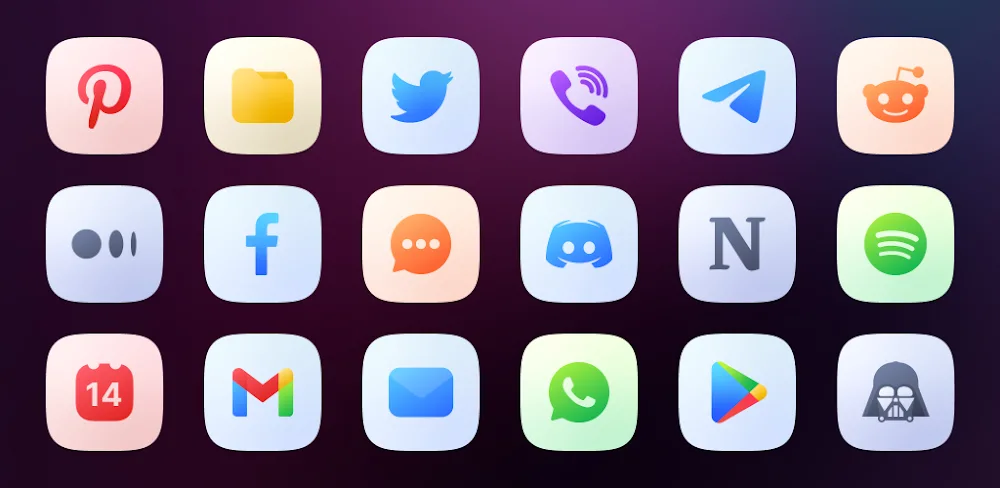
The consistency in color tone and style maintained throughout the icon pack creates a harmonious interface that perfectly blends social network icons, office tools, and more. The rounded features typical of One UI create a cohesive look that is both visually appealing and easy to navigate.
Exclusive 2K Wallpaper Collection for a Seamless Interface
One UI Circle also comes with an impressive collection of 55 high-quality wallpapers, each with a resolution of up to 2000×2000 pixels. These wallpapers are carefully selected to match the icon color tone, creating a visually stunning and consistent interface. Users can easily change their wallpaper directly from the application without downloading additional files, making it a convenient feature for those who want to transform their phone's interface.
Smart Operation and Flexible Customization
The application supports automatic masking of missing application icons, ensuring a seamless interface that maintains the tone and style of One UI. Dynamic calendar icons are also supported for both the native Calendar application and Google Calendar, allowing users to display the date directly on their home screen. This level of customization and flexibility makes it easy for users to personalize their home screen to suit their preferences.
One UI Circle – Icon Pack also allows users to submit requests for individual icon support for applications that don't have supported icons. In each update, the developer adds and updates 3 free icons to ensure the best user experience. This level of community engagement and responsiveness to user needs is commendable and demonstrates the developer's commitment to providing the best possible experience.
Personalize Your Home Screen with Ease
Not only does One UI Circle provide a vast collection of icons, but it also allows users to customize their home screen to suit their personal preferences. Adjust the icon size, change the display or mix the background color to create a unique interface that reflects your style. With high compatibility and consistent design, you can create a one-of-a-kind home screen that stands out from the crowd.
Regular Updates for a Fresh and Optimized Experience
The One UI Circle development team is committed to providing regular updates, adding new icons and optimizing display quality. This ensures that every newly installed application will soon have a compatible icon, giving users peace of mind and a seamless user experience. This level of dedication to providing a fresh and optimized experience is essential for any icon pack, and One UI Circle – Icon Pack delivers on this promise.
Who Is This App For?
One UI Circle – Icon Pack is best suited for users who value a high-quality, visually appealing interface. If you're looking for a consistent and cohesive design language that matches Samsung's One UI, this icon pack is an excellent choice. It's also ideal for users who want to personalize their home screen with ease and have access to a vast collection of icons. Additionally, users who appreciate regular updates and community engagement will find One UI Circle – Icon Pack to be a reliable and responsive icon pack.
Editor's Verdict
App Details
- App: One UI Circle - Icon Pack
- Category: Utility
- Version: 4.4
- Price: Free
- Platform: Android
Quick Assessment
One UI Circle - Icon Pack is a utility application for Android devices that is free to download. Currently at version 4.4, the app continues to receive updates from the developer. We recommend downloading it directly from the official Google Play Store to ensure you get the latest and safest version.
Community Reviews
What users are saying about One UI Circle - Icon Pack
Jan 22, 2026
One UI Circle Icon Pack v4.4 is a great choice for anyone with a Samsung device, but it may not be ideal for those with a non-Samsung Android phone. The system-wide integration works well, though, and the UI is intuitive enough. 3/5 stars
Nov 15, 2025
I've been using this icon pack for months, and it's been a solid choice. The minimalistic design looks great on my Galaxy S22, and the developer often updates the pack with new icons. My only gripe is that some icon shapes don't match my system settings. Still, that's just a minor quibble. 4/5 stars
Oct 11, 2025
I'm not a fan of the icon pack's performance - it sometimes slows down my phone. That being said, the icon quality is great, and I appreciate the ability to apply the pack system-wide. Maybe update the pack for Android 13 support? 3/5 stars
Sep 26, 2025
I love how One UI Circle Icon Pack v4.4 has so many customizable options for icon shapes and colors. The 7,600+ icons are perfect for my Samsung phone's One UI 5.1 version. 5/5 stars
Sep 26, 2025
One UI Circle Icon Pack v4.4 is fantastic, but I wish there was a way to easily manage the icon packs I've applied. Can you add a favorites or recent icons list? That would make updating my icons so much easier. 4/5 stars
Reviews reflect personal user opinions and experiences.
Frequently Asked Questions
You May Also Like
Similar utility apps you might enjoy