OneDark 3D Icon Pack v1.0.8 - Customizable Android Icons
Get OneDark 3D Icon Pack for Android and enjoy high-quality, customizable icons with easy installation and full version access. Ideal for those seeking a unique device look.
All download links redirect to the official Google Play Store.
App Information
- Name
- OneDark 3D - Icon Pack
- Version
- 1.0.8
- OS
- Android
- Category
- UtilitiesApplication
- Price
- Free
- User Rating
- 4.1/5
Our In-Depth Review
Elevate Your Android Experience with OneDark 3D - Icon Pack
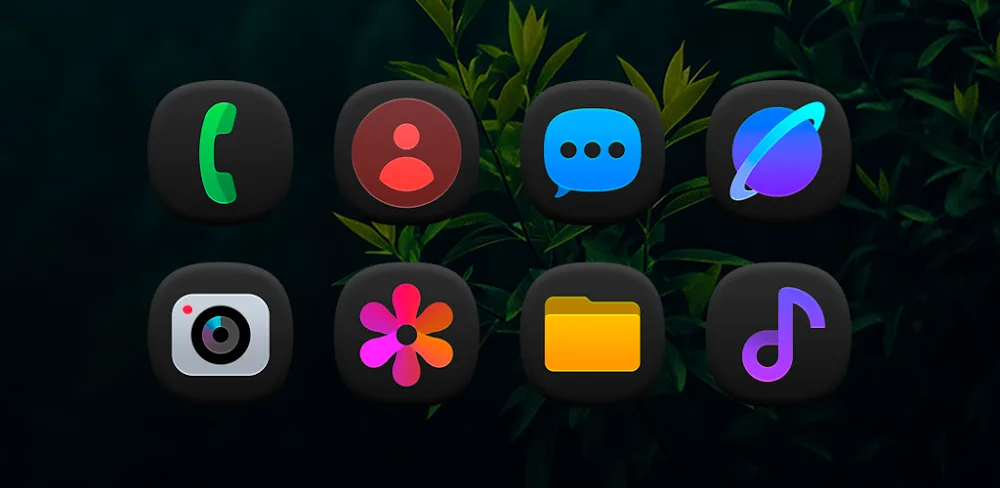
In the world of Android customization, OneDark 3D - Icon Pack is a game-changer. This intuitive app allows users to take their device's home screen to the next level with a stunning, unified dark theme that seamlessly integrates with the main interface. But what sets it apart from other icon packs on the market?
4700+ Dark 3D Icons for a Cohesive Look
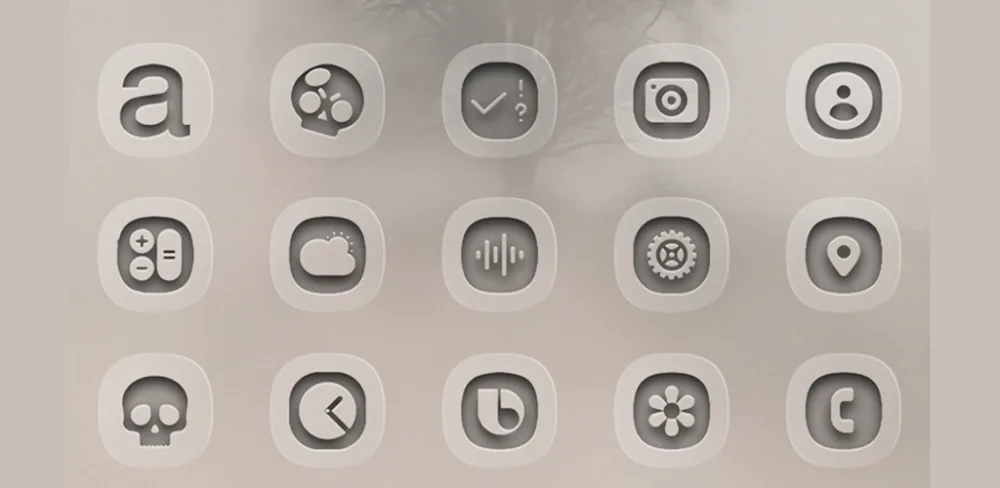
One of the standout features of OneDark 3D - Icon Pack is its vast library of 4700+ high-quality alternative app icons. This extensive collection ensures that every app on your device boasts a consistent, premium design, eliminating the need for overlapping icons. With such a comprehensive app coverage, you can say goodbye to mismatched icons and hello to a seamless interface that elevates your Android experience.
The dark design of these icons is not only visually appealing but also eye-friendly. By reducing eye strain, OneDark 3D's dark-themed icons create a modern, sophisticated look that is perfect for users who value aesthetics. But what's truly impressive is the sheer diversity of styles available. With a rich collection of designs, you'll never have to compromise on appearance, regardless of the apps you install.
A Closer Look at OneDark 3D's Icon Design
The icons themselves are expertly crafted, with attention to detail that shines through in every design. From the subtle shading to the intricate textures, it's clear that the developers have put a lot of thought into creating a cohesive look that will appeal to users who value premium design. Whether you're a fan of minimalist designs or prefer something more elaborate, OneDark 3D's icon collection has something to offer.
412 Stunning Dark Wallpapers for a Unified Look
In addition to its impressive icon collection, OneDark 3D - Icon Pack also offers 412 beautifully designed dark wallpapers that perfectly complement the icon set. This curated collection ensures a unified dark interface experience, maintaining the highest clarity across various devices. With so many options to choose from, you'll never run out of fresh designs to refresh your device interface.
Key Benefits of OneDark 3D's Wallpaper Collection
OneDark 3D's wallpaper collection offers a range of benefits that make it a must-have for users who value a cohesive look. With perfect theme unity, you can experience a seamless transition between your home screen and lock screen. The frequent refresh capability ensures that you'll always have access to the latest trends and designs, without the need for duplication. And with personalized mood matching, you can find the perfect wallpaper to match your mood or preference, all while maintaining ultimate beauty and cohesion with your device's interface.
Conclusion
OneDark 3D - Icon Pack is a must-have for users who value a premium, cohesive look on their Android device. With its vast library of high-quality icons and beautifully designed wallpapers, this app offers everything you need to take your device's home screen to the next level. Whether you're a fan of dark designs or prefer something more elaborate, OneDark 3D has something to offer.
Who Is This App For?
This app is best suited for users who value a premium, cohesive look on their Android device. If you're tired of mismatched icons and want to elevate your Android experience, OneDark 3D - Icon Pack is the perfect solution. Whether you're a power user or just looking to personalize your device, this app offers everything you need to take your device's home screen to the next level.
Editor's Verdict
App Details
- App: OneDark 3D - Icon Pack
- Category: Utility
- Version: 1.0.8
- Price: Free
- Platform: Android
Quick Assessment
OneDark 3D - Icon Pack is a utility application for Android devices that is free to download. Currently at version 1.0.8, the app has received positive feedback from the community with an average rating of 4.1/5. We recommend downloading it directly from the official Google Play Store to ensure you get the latest and safest version.
Community Reviews
What users are saying about OneDark 3D - Icon Pack
Feb 8, 2026
The UI is a bit cluttered in my opinion, but the icon customization options are amazing. I wish there was a more organized way to browse through the icon packs, but overall, it's a solid app. Rating: 3 stars
Jan 11, 2026
I've been searching for a decent icon pack for my Android device and OneDark 3D Icon Pack really delivers. The icons look amazing, and I appreciate the fact that they're easily customizable. I'm giving it 5 stars.
Nov 27, 2025
I'm disappointed that there aren't more icon packs to choose from, especially after seeing the high-quality ones they provide. Still, it's a solid app, and I appreciate the full version access. Maybe they can add more content in future updates? 4 stars
Nov 26, 2025
I've been using OneDark 3D Icon Pack for a week now and I must say, the install process is seamless. The icon packs are high-quality and I love how they fit perfectly with my theme. I'm giving it 5 stars because it's exactly what I needed.
Nov 19, 2025
I'm not entirely sure if I'm just doing something wrong, but I had trouble finding a way to remove the default app launcher. Maybe they could add a simple 'reset' button? Overall, it's a good app, just a minor suggestion. 3 stars
Nov 17, 2025
I'm loving the OneDark 3D Icon Pack so far! It's so easy to navigate and the full version access is a nice touch. However, I wish they had more icon packs to choose from. Still a great app, though. 4 stars
Oct 27, 2025
I'm extremely happy with OneDark 3D Icon Pack! The high-quality icon packs and easy install process make it a no-brainer. My only suggestion would be to add a 'dark mode' toggle. 5 stars for now!
Reviews reflect personal user opinions and experiences.
Frequently Asked Questions
You May Also Like
Similar utility apps you might enjoy