OnePro Dark Icon Pack v1.5.2 - Custom Icon & Wallpaper Utility
Get the OnePro Dark Icon Pack v1.5.2, a Utilities app that lets you customize your phone's look with a vast collection of icons and wallpapers, perfect for those who want a unique device appearance.
All download links redirect to the official Google Play Store.
App Information
- Name
- OnePro Dark - Icon Pack
- Version
- 1.5.2
- OS
- Android
- Category
- UtilitiesApplication
- Price
- Free
- User Rating
- 4.2/5
Our In-Depth Review
Revolutionizing Android Experience with Customization: A Review of OnePro Dark – Icon Pack
As an Android user, you're always on the lookout for ways to personalize your device and make it stand out from the crowd. OnePro Dark – Icon Pack is an innovative application that offers a sleek and modern style, making it easy to change your device's look. In this review, we'll delve into the features and functionality of this application, highlighting what works well and where it could be improved.
Unlocking a World of Customization
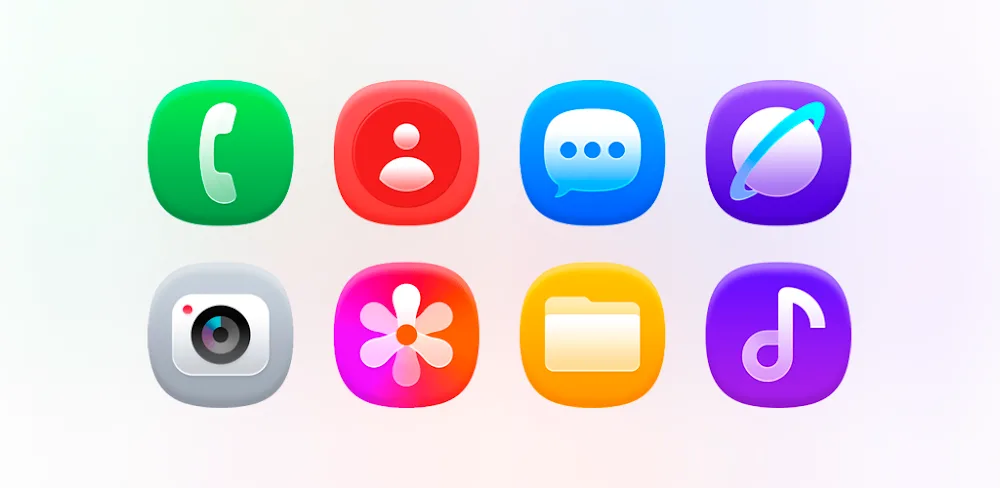
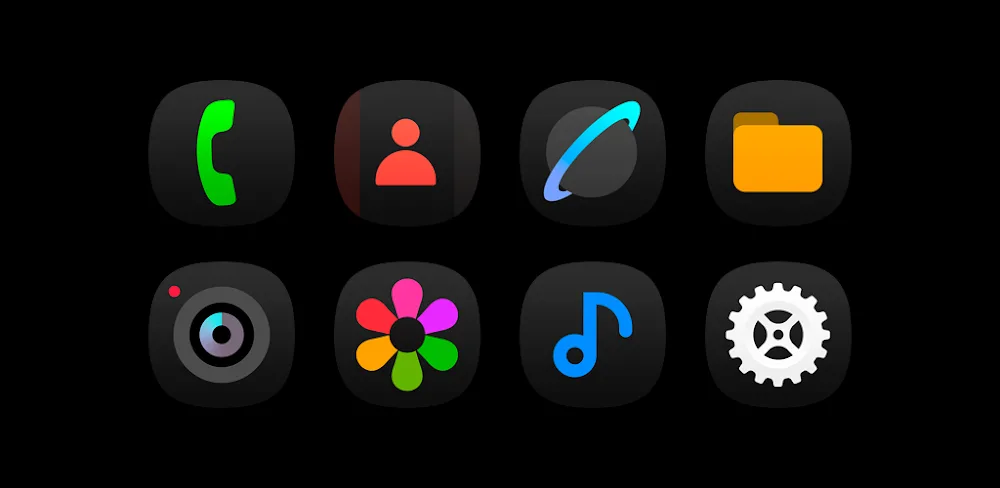
OnePro Dark – Icon Pack boasts an impressive collection of over 3,800 minimalist icons, inspired by the unique design of Samsung's OneUI 7. This extensive library ensures seamless integration with most devices and popular applications. The icon variety is unparalleled, offering a vast array of options to customize your device.
One of the standout features of this application is its comprehensive app coverage. The icon library caters to most popular applications, making it easy to change your device's interface to match your style. This is particularly useful for those who want to maintain a consistent visual style across their device. The dark-themed icons create a cohesive and eye-catching interface, perfect for those who prefer a minimalist look.
Enhancing Your Device with Visual Style
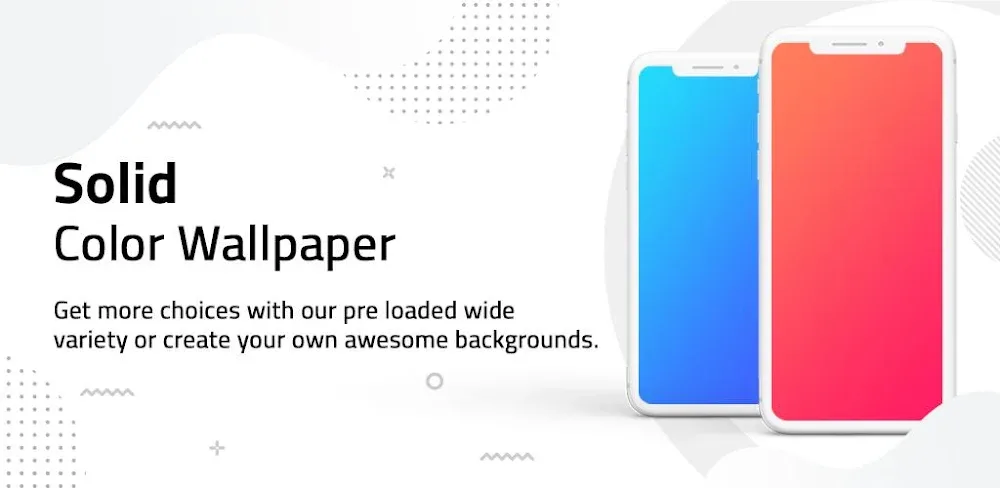
In addition to icon customization, OnePro Dark – Icon Pack also offers a vast collection of wallpapers to complement your device's new look. With over 300 options to choose from, you can create a unique and professional interface. The application features a diverse collection of wallpapers, designed to blend seamlessly with the dark icons.
One of the benefits of using OnePro Dark – Icon Pack is its versatility. You can adjust the color palette and explore various design options to create a harmonious balance between icons and wallpapers. This level of customization is not always easy to find in similar applications, making OnePro Dark – Icon Pack a standout in the market.
Ease of Use and Customization
One of the strengths of OnePro Dark – Icon Pack is its intuitive tools and unique design elements. Customizing your device's interface has never been easier, thanks to the application's user-friendly interface. The application is well-designed, making it simple to navigate and find the features you need.
However, one area where the application could be improved is in its organization. While the icon library is vast, it can be overwhelming to navigate. A better organization system, such as categorization or search functionality, would make it easier to find the icons and wallpapers you need.
Who Is This App For?
OnePro Dark – Icon Pack is ideal for Android users who are looking to personalize their device and create a unique visual style. This application is perfect for those who:
- Prefer a minimalist look and feel
- Want to customize their device's interface with a wide range of icons and wallpapers
- Are looking for a user-friendly application with intuitive tools
- Are willing to invest time in exploring the application's features and functionality
In conclusion, OnePro Dark – Icon Pack is a solid choice for Android users who want to revolutionize their device's experience. While it has some areas for improvement, such as organization and search functionality, the application's strengths make it a worthwhile investment. With its vast collection of icons and wallpapers, user-friendly interface, and customization options, OnePro Dark – Icon Pack is an excellent choice for those looking to take their Android experience to the next level.
Editor's Verdict
App Details
- App: OnePro Dark - Icon Pack
- Category: Utility
- Version: 1.5.2
- Price: Free
- Platform: Android
Quick Assessment
OnePro Dark - Icon Pack is a utility application for Android devices that is free to download. Currently at version 1.5.2, the app has received positive feedback from the community with an average rating of 4.2/5. We recommend downloading it directly from the official Google Play Store to ensure you get the latest and safest version.
Community Reviews
What users are saying about OnePro Dark - Icon Pack
Feb 16, 2026
Unfortunately, I've been experiencing some crashes with OnePro Dark. Don't know if it's just my device or a bug, but it's annoying. That being said, the icons themselves are nice, and the developers do seem to be actively working on updates. A work in progress, I suppose.
Jan 2, 2026
I was a bit skeptical at first, but the OnePro Dark Icon Pack really grew on me! The search function makes it super easy to find specific icons, and the daily icon packs are a fun little feature. Just wish I could export my icon layouts...
Dec 30, 2025
OnePro Dark Icon Pack is okay, but I'd like to see more options for custom wallpaper sizes. Currently, it only lets me choose from pre-set resolutions, which is limiting for my 4K display. A 4-star rating for now, hoping the devs update!
Nov 10, 2025
Decent icon pack, but it's pretty bare-bones. I'd love to see more themes to choose from, rather than just one default dark theme. That being said, the quality of the icons is top-notch, so I'll keep it installed for now.
Oct 21, 2025
I'm so glad I found OnePro Dark - it's been a game-changer for my aesthetic! The dark mode aesthetic is on point, and the ability to hide unwanted system icons really makes a difference. One suggestion: consider adding more customization options for icon shapes!
Oct 12, 2025
I absolutely love the OnePro Dark Icon Pack! The customizability is on point with over 4,000+ unique icons to choose from. It's so easy to install and customize my home screen to match my dark theme preferences. Highly recommended!
Reviews reflect personal user opinions and experiences.
Frequently Asked Questions
You May Also Like
Similar utility apps you might enjoy