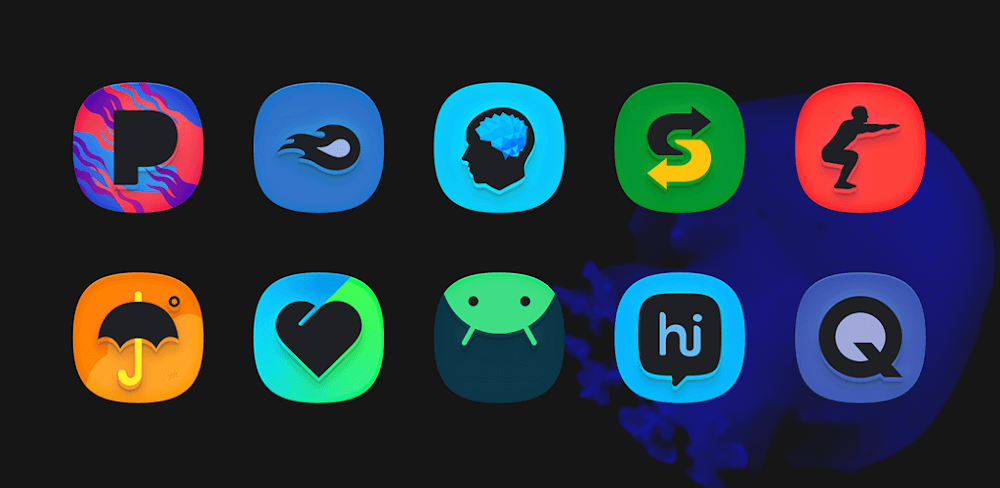
SuperBlack Icon Pack v16.0.1 (Customizable Icons, Wallpapers, Android Themes)
Get SuperBlack Icon Pack and elevate your Android experience with customizable icons and dynamic wallpapers. This utility offers a simple interface and hundreds of design options to personalize your device.
All download links redirect to the official Google Play Store.
App Information
- Name
- SuperBlack Icon Pack
- Version
- 16.0.1
- OS
- Android
- Category
- UtilitiesApplication
- Price
- Free
- User Rating
- 4/5
Our In-Depth Review
Unlock a Fresh Look for Your Android Device
Are you tired of the same old look on your Android phone's interface? Do you want to give it a modern twist without sacrificing functionality? The SuperBlack Icon Pack is a comprehensive solution that can breathe new life into your phone's home screen. In this review, we'll dive into the key features and design elements that make this icon pack stand out.
KEY FEATURES OF SUPERBLACK ICON PACK
Customization Options Galore
The SuperBlack Icon Pack offers an impressive array of features to help you personalize your phone's look and feel. While many icon packs focus on providing a single, cohesive design, SuperBlack takes a more flexible approach, allowing users to tailor their experience to their liking.
- 200+ High-Quality Wallpapers Included: One of the standout features of the SuperBlack Icon Pack is its extensive library of wallpapers. With over 200 high-quality options to choose from, users can easily find a wallpaper that complements the icon pack's design. The best part? Applying or downloading wallpapers is a breeze, with a seamless experience that requires just a few taps.
- Icon Search with Category Browsing: The SuperBlack Icon Pack also features an intuitive search function that makes it easy to find your preferred icons. The category browsing feature adds an extra layer of convenience, allowing users to quickly navigate through various categories to find the icons they need.
- Icon Requests Made Easy: One of the most impressive aspects of the SuperBlack Icon Pack is its commitment to community engagement. Users can easily send icon requests to the developers, ensuring that the pack stays up-to-date with the latest additions.
Icon Pack Highlights
The SuperBlack Icon Pack boasts a range of impressive features that set it apart from other icon packs. While some may seem like minor details, they collectively contribute to a cohesive design that elevates the user experience.
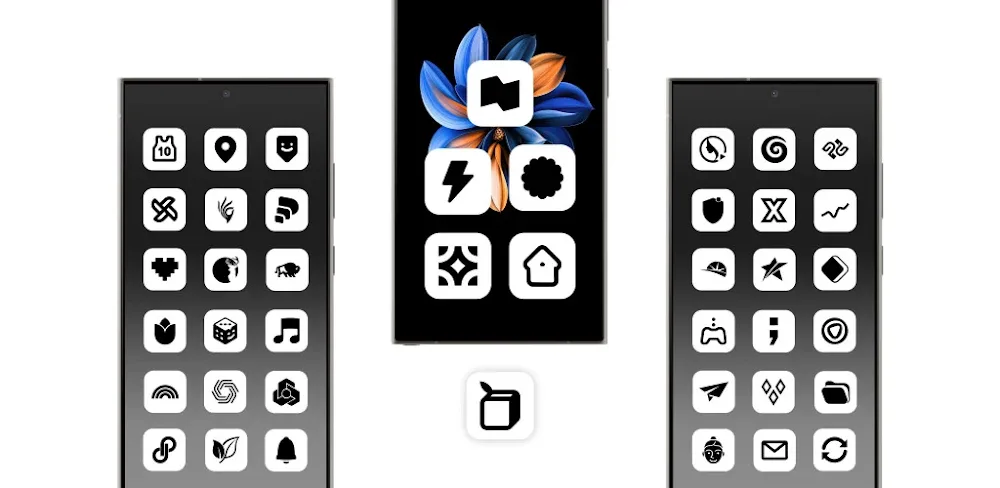
- Super-ellipse-Shaped Icons: One of the standout design elements of the SuperBlack Icon Pack is its use of super-ellipse-shaped icons. These perfectly uniform icons add a touch of sophistication to the home screen, making the overall experience feel more refined and polished.
- Professional Design: The icon pack's design is crafted with the highest quality in mind, ensuring a visually stunning experience for users. Every element, from the icons to the wallpapers, has been carefully considered to create a cohesive and engaging design.
- Dynamic Calendar Icons: The SuperBlack Icon Pack also includes dynamic calendar icons that change each day. This feature keeps the home screen fresh and engaging, providing a subtle reminder of the current date and time.
- Android 10 Settings Shortcut Styles: For users running Android 10, the SuperBlack Icon Pack offers customizable settings shortcut styles. This feature allows users to get the most out of their device, with a level of customization that's unmatched by many other icon packs.
- Alternate Icons with New Colors and Styles: Experimenting with different icon styles and colors is a breeze with the SuperBlack Icon Pack. Users can easily find the perfect fit for their taste, with a range of options available to suit any preference.
- Alternate Popular System Styles: Finally, the SuperBlack Icon Pack includes alternate popular system styles from leading manufacturers, including OnePlus, Pixel, Samsung, HTC, LG, and Nokia. This feature allows users to match their icon pack with their device's native design, creating a seamless and cohesive experience.
Conclusion
The SuperBlack Icon Pack is a comprehensive solution for users looking to give their Android device a fresh new look. With its impressive array of features, including customization options, high-quality wallpapers, and professional design, this icon pack is a standout in its class. While some users may find the sheer number of options overwhelming, the SuperBlack Icon Pack's intuitive design and user-friendly interface make it easy to navigate and customize.
Who Is This App For?
The SuperBlack Icon Pack is perfect for users who want to give their Android device a modern twist without sacrificing functionality. This icon pack is ideal for:
- Users who want a high level of customization to personalize their home screen.
- Those who value a professional design and high-quality visuals.
- Individuals who want to stay up-to-date with the latest additions and community engagement.
- Users running Android 10 who want to take advantage of customizable settings shortcut styles.
- Anyone looking to match their icon pack with their device's native design.
Overall, the SuperBlack Icon Pack is a solid choice for users seeking a comprehensive and flexible solution for their Android device's interface.
Editor's Verdict
App Details
- App: SuperBlack Icon Pack
- Category: Utility
- Version: 16.0.1
- Price: Free
- Platform: Android
Quick Assessment
SuperBlack Icon Pack is a utility application for Android devices that is free to download. Currently at version 16.0.1, the app has received positive feedback from the community with an average rating of 4/5. We recommend downloading it directly from the official Google Play Store to ensure you get the latest and safest version.
Community Reviews
What users are saying about SuperBlack Icon Pack
Dec 28, 2025
I'm not much of an icon enthusiast, to be honest, but even I can appreciate the sleek designs in SuperBlack Icon Pack. My favorite part is the simple and easy-to-use interface that doesn't clutter my settings. I'd love to see some more icon packs in the future with similar simplicity.
Nov 27, 2025
SuperBlack Icon Pack v16.0.1 is an absolute game-changer for me. The hundreds of customizable icons are so extensive that I've been able to find matching designs for almost every single app on my phone. The icons are crisp and the interface is so intuitive to use - it's honestly changed how I personalize my Android experience.
Nov 11, 2025
I've been using the SuperBlack Icon Pack for a few days now and I am loving the dynamic wallpaper feature. It's a great touch and the integration is seamless. My only suggestion would be to include some more themes or at least more dynamic wallpapers to really take it up a notch.
Oct 24, 2025
The SuperBlack Icon Pack's Android theme support is top-notch! Everything looks cohesive and the quality is impressive. My only suggestion would be to include some more Android theme templates to help new users get started, but overall, I'm loving this app!
Oct 20, 2025
Overall, I'm quite happy with my purchase of the SuperBlack Icon Pack! The icon customization options are endless and the quality is fantastic. One thing I wish I could change is the ability to save custom icon combinations, but that's nitpicky. Great app!
Oct 10, 2025
Unfortunately, I've been having some minor issues with the app sometimes crashing when I try to apply a new theme. However, the support team has been super responsive and helpful in resolving the issue. Once this gets ironed out, I'd definitely be giving it a full 5 stars.
Reviews reflect personal user opinions and experiences.
Frequently Asked Questions
You May Also Like
Similar utility apps you might enjoy