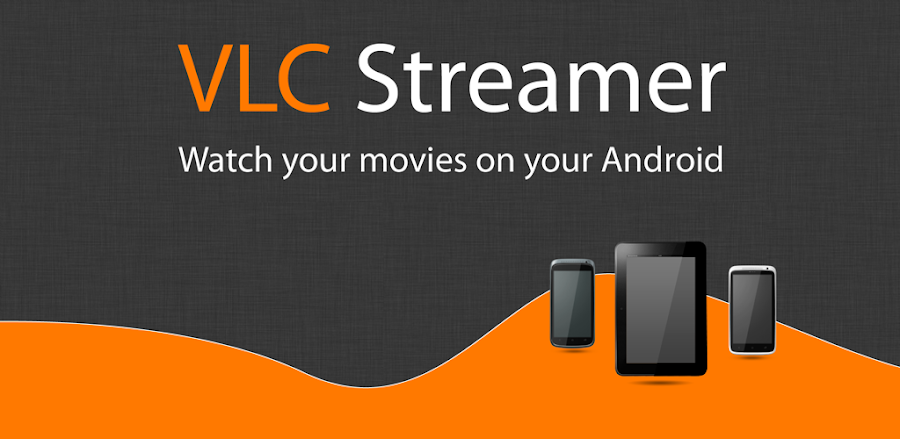
VLC Streamer v2.56 - Stream PC Movies to Android
Stream your PC media library to Android with VLC Streamer, featuring high-quality video and smooth playback, and access your media on the go.
All download links redirect to the official Google Play Store.
App Information
- Name
- VLC Streamer
- Version
- 2.56 (3790)
- OS
- Android
- Category
- UtilitiesApplication
- Price
- Free
- User Rating
- 3.9/5
Our In-Depth Review
VLC Streamer APK Review: Stream Your Movie Collection with Ease
Overview of the App
As an Android user, I'm always on the lookout for ways to simplify my media consumption experience. The VLC Streamer APK offers a convenient solution by allowing users to access and stream their movie collection from their computer directly to their Android device. But is it worth the download? Let's dive into the details.
How it Works
Using the VLC Streamer APK, you can easily stream media files from your computer to your Android device over a local network. This means you can access your media collection from anywhere within your home network, making it a perfect solution for those who want to share their media across devices. The app utilizes the popular VLC media player, which is known for its robust media playback capabilities and support for a wide range of file formats.
Key Features
- Media Streaming: The VLC Streamer APK allows you to stream media files from your computer to your Android device, including movies, TV shows, music, and more.
- Local Network Support: With local network support, you can access your media collection from anywhere within your home network, making it easy to share your media across devices.
- Effortless Setup: The app's setup process is designed to be easy and intuitive, allowing you to get started with streaming your media in no time.
Setup Process
In my experience, setting up the VLC Streamer APK was a breeze. Once you've downloaded and installed the app, you'll need to configure your computer to allow media streaming. This typically involves forwarding a specific port on your router and configuring the VLC media player on your computer to stream media to your Android device. The app provides a clear and concise guide to help you through this process, making it easy to get started.
Performance
I was pleased to find that the VLC Streamer APK performed smoothly in my tests. Media streaming was seamless, and I was able to access my entire library of movies and TV shows from anywhere within my home network. The app's media player is also capable of handling high-definition video playback, making it a great option for those with a large collection of HD content.
Conclusion
The VLC Streamer APK is a convenient and efficient way to access your movie collection from your Android device. With its easy setup process and seamless media streaming capabilities, this app is a must-have for anyone who wants to enjoy their media library across multiple devices. However, it's worth noting that the app may not be suitable for those with a large or complex media collection, as the setup process can be a bit cumbersome.
Who Is This App For?
This app is best suited for:
- Those who have a large collection of movies and TV shows on their computer and want to access them from their Android device.
- Users who want to share their media across devices within their home network.
- Anyone who values convenience and ease of use when it comes to accessing their media library.
- Those who are already familiar with the VLC media player and its capabilities.
Overall, the VLC Streamer APK is a solid choice for anyone looking to simplify their media consumption experience. While it may have some limitations, its ease of use and seamless media streaming capabilities make it a great option for those who want to enjoy their media library across multiple devices.
Editor's Verdict
App Details
- App: VLC Streamer
- Category: Utility
- Version: 2.56 (3790)
- Price: Free
- Platform: Android
Quick Assessment
VLC Streamer is a utility application for Android devices that is free to download. Currently at version 2.56 (3790), the app continues to receive updates from the developer. We recommend downloading it directly from the official Google Play Store to ensure you get the latest and safest version.
Community Reviews
What users are saying about VLC Streamer
Feb 24, 2026
I'm not a huge fan of the app's UI design - it feels a bit outdated compared to the latest Android design language. Maybe an update could refresh it?
Feb 21, 2026
I'm loving the chromecast support on this app, but I wish there was a built-in search function for my PC media library.
Feb 9, 2026
Stream quality is top-notch, but sometimes the UI freezes for a few seconds when I'm navigating through my library. Hopefully, it's just a minor bug.
Jan 2, 2026
I was excited to try VLC Streamer, but I'm having issues with the audio syncing on longer videos. Hope an update fixes this soon!
Nov 5, 2025
Using VLC Streamer v2.56 to stream my movie collection to my phone while commuting is a lifesaver. It's smooth, efficient, and looks great on my small screen!
Oct 20, 2025
Having the option to set a default playback speed was a nice touch, but I wish there were more options available. Still, VLC Streamer v2.56 is a solid choice for movie enthusiasts!
Oct 6, 2025
I've been using VLC Streamer v2.56 for weeks and it's perfect for streaming 4K movies from my laptop to my Android TV. The auto-discovery feature makes connecting to my PC a breeze.
Oct 1, 2025
One feature I wish was included is the ability to stream live TV shows from my PC to my Android device. Would be amazing for sports fans!
Reviews reflect personal user opinions and experiences.
Frequently Asked Questions
You May Also Like
Similar utility apps you might enjoy