Zwart Black Icon Pack v25.0.51 - Minimalist Icon Pack for Android
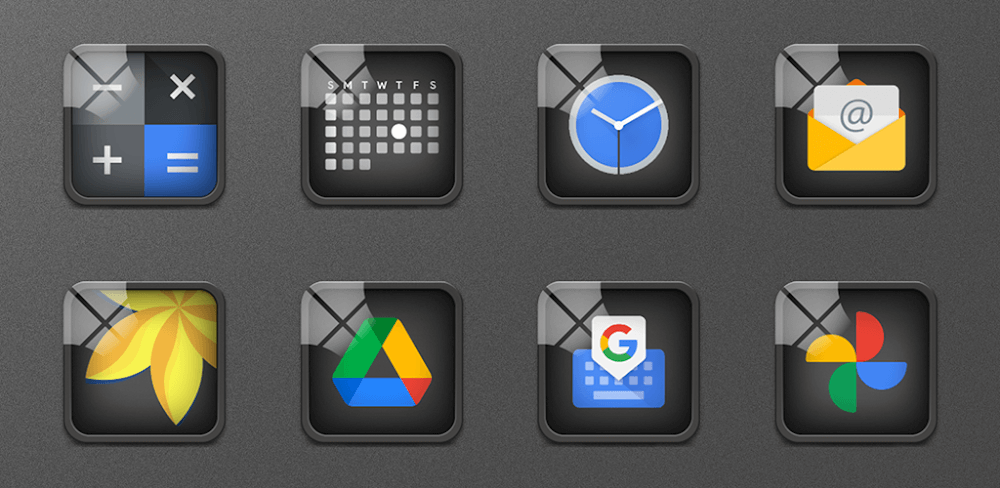
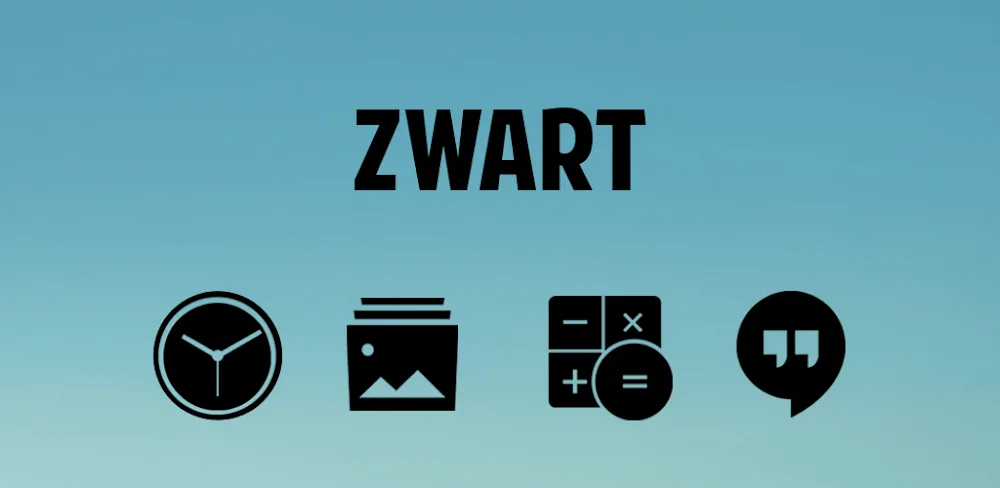
Upgrade your Android's style with the Zwart Black Icon Pack, offering extreme style, customizable icons, and easy installation. This minimalist icon pack is a must-have for those seeking a sleek look for their phone.
All download links redirect to the official Google Play Store.
App Information
- Name
- Zwart - Black Icon Pack
- Version
- 25.0.51
- OS
- Android
- Category
- UtilitiesApplication
- Price
- Free
- User Rating
- 4.1/5
Our In-Depth Review
A Fresh Face for Your Android Device: Zwart – Black Icon Pack Review
Are you tired of the same old cluttered home screens and default icons that just don't cut it? The Zwart – Black Icon Pack is here to revolutionize your Android experience with a sleek, minimalist aesthetic that's sure to please even the most discerning users.
Seamless Calendar Integration: A Key Feature of Zwart
One of the standout features of Zwart – Black Icon Pack is its seamless calendar integration, which boasts dynamic calendar icon support. This means that your device's calendar stays up-to-date without requiring any complicated setup or maintenance. The benefits of this feature are multifaceted:
- Real-Time Date Display: Zwart ensures that you'll always have accurate and quick date and time updates, making it a breeze to stay organized and on top of your schedule.
- Interactive Home Screen: This feature brings a fresh and engaging touch to your home screen, making it more enjoyable to use and interact with. It's a small detail, but one that can make a significant difference in your overall user experience.
- App Compatibility Ensured: Rest assured that Zwart is compatible with a wide range of devices, ensuring a smooth and hassle-free experience. This level of compatibility is essential for an icon pack that promises to cover thousands of apps.
Comprehensive Icon Replacement: A Key Selling Point
Zwart – Black Icon Pack offers an impressive array of replacement icons for thousands of popular apps, covering an astonishing 35,780 apps. This level of coverage is unparalleled in the world of icon packs, and for good reason. With Zwart, you'll never have to worry about inconsistent or bland icons again.
- Consistent Icon Look: Zwart provides a cohesive and stylish visual identity for your device, making it easier to navigate and enjoy your home screen. The consistent look and feel of the icons is a major plus, as it eliminates the jarring effect of disparate icon designs.
- Visual Harmony Improved: Say goodbye to boring default interfaces and hello to a more unique and visually appealing experience. Zwart's minimalist aesthetic is the perfect antidote to the clutter and chaos of a typical home screen.
- Broad App Coverage: Whether you're a power user or a casual app enthusiast, Zwart has got you covered, with support for even the most niche or obscure apps. This level of coverage is a testament to the developers' commitment to creating an icon pack that truly serves the needs of the Android community.
Conclusion
In conclusion, the Zwart – Black Icon Pack is a game-changer for anyone looking to give their Android device a fresh new look. With its seamless calendar integration, comprehensive icon replacement, and broad app coverage, it's the perfect solution for minimalist lovers seeking a stylish and streamlined experience.
Who Is This App For?
Zwart – Black Icon Pack is best suited for:
- Minimalist enthusiasts: If you're someone who values simplicity and a clean aesthetic, Zwart is the perfect choice for you.
- Power users: With its comprehensive icon replacement and app compatibility, Zwart is ideal for users who need a reliable and feature-rich icon pack.
- Android enthusiasts: Anyone looking to level up their Android experience and give their device a fresh new look will find Zwart to be a valuable addition to their toolkit.
In short, if you're looking for a stylish and streamlined experience that's free from clutter and chaos, Zwart – Black Icon Pack is the perfect choice for you.
Editor's Verdict
App Details
- App: Zwart - Black Icon Pack
- Category: Utility
- Version: 25.0.51
- Price: Free
- Platform: Android
Quick Assessment
Zwart - Black Icon Pack is a utility application for Android devices that is free to download. Currently at version 25.0.51, the app has received positive feedback from the community with an average rating of 4.1/5. We recommend downloading it directly from the official Google Play Store to ensure you get the latest and safest version.
Community Reviews
What users are saying about Zwart - Black Icon Pack
Mar 4, 2026
I'm not too impressed with the icon pack's performance on my mid-range device. It's a bit slow to load and some of the icons look a bit pixelated. Still, the design's nice and the price is right.
Feb 28, 2026
Zwart Black Icon Pack is a game-changer for my home screen! The icon customization options are so extensive that I can finally match my phone's look to my mood. Five stars from me!
Feb 10, 2026
I'm a bit disappointed with the icon pack's lack of support for some of my favorite third-party launchers. Still, the app's UI is clean and intuitive, and the icon size options are pretty good.
Feb 5, 2026
Just installed this icon pack on my Samsung Galaxy S22 and it's looking slick! The extreme style really makes my home screen stand out. One thing though - the icon pack doesn't seem to be compatible with Nova Launch, at least not yet.
Dec 16, 2025
This icon pack is my new favorite thing! The customization options are crazy extensive and I love how the icons look on my home screen. One question: will there be any updated icon packs in the future or is this version 25 the final one?
Nov 3, 2025
I love how easy it is to install and customize the icons in Zwart Black Icon Pack! The minimalistic design fits perfectly with my existing phone's aesthetic. One suggestion: adding more icon sizes would be great for devices with different display ratios.
Sep 18, 2025
I'm really enjoying the style and minimalism of this icon pack. The installation process was seamless and I love the color palette. However, the lack of an option to hide the icon pack's branding on the home screen is a bit of a letdown.
Reviews reflect personal user opinions and experiences.
Frequently Asked Questions
You May Also Like
Similar utility apps you might enjoy